For Australian & NZ school libraries
Every student finds a book they actually finish.
WellRead matches readers to books by mood, interest, and what their year group loved last term. Your library team gets the signal behind every save, finish, and put-down.
- shield_personNo ads, no student tracking
- databaseData hosted in Australia
- schoolPrep – Year 12, age-gated
Try it. The first question students answer
How do you want to feel?
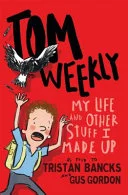


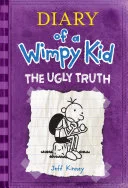

Real books from a live Year 4–6 shelf, for the kid who reads to laugh. Students answer six questions like this, and every match is age-gated to their own year level. A Prep reader and a Year 11 reader see entirely different shelves.
Reading is about the journey.
WellRead is the stage. Kids get excited about reading and explore their own way: by mood, by interest, by what their friends loved last term.
What stays behind is the signal. Every save, every finish, every put-down becomes data teachers and librarians can use to help every reader grow.
For students
Discovery that starts with how they feel, or what they're into.
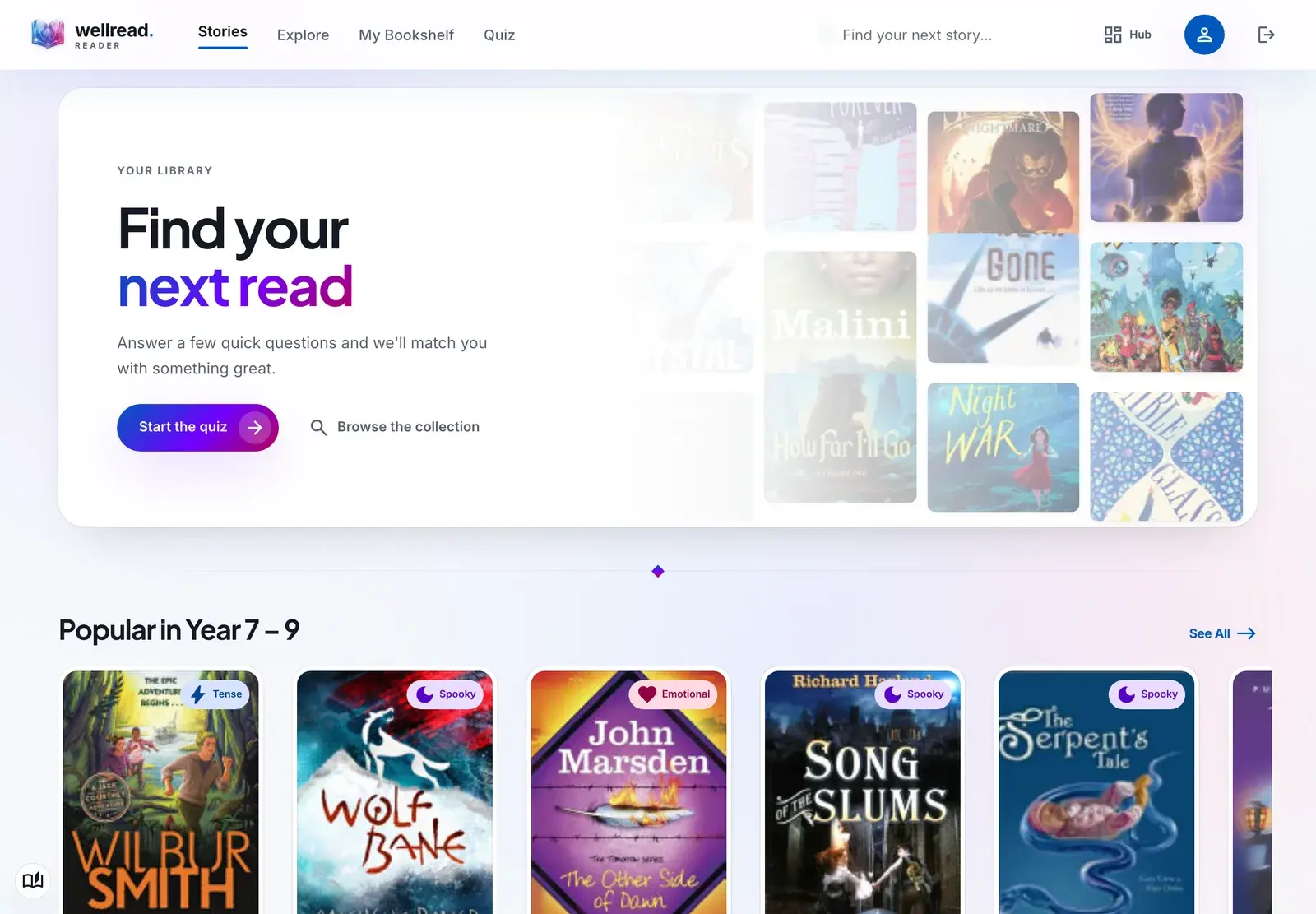
A mood quiz for fiction. An interest-led Explore for non-fiction. Tier-aware for Primary (P–6) and Secondary (7–12), so every student sees a library built for them.
- checkVibe Quiz
- checkExplore by interest
- checkPersonal bookshelf
- checkReading streaks
- checkPeer ratings
- checkSearch and filter
For librarians
Curation, enrichment, and insight. All in one place.
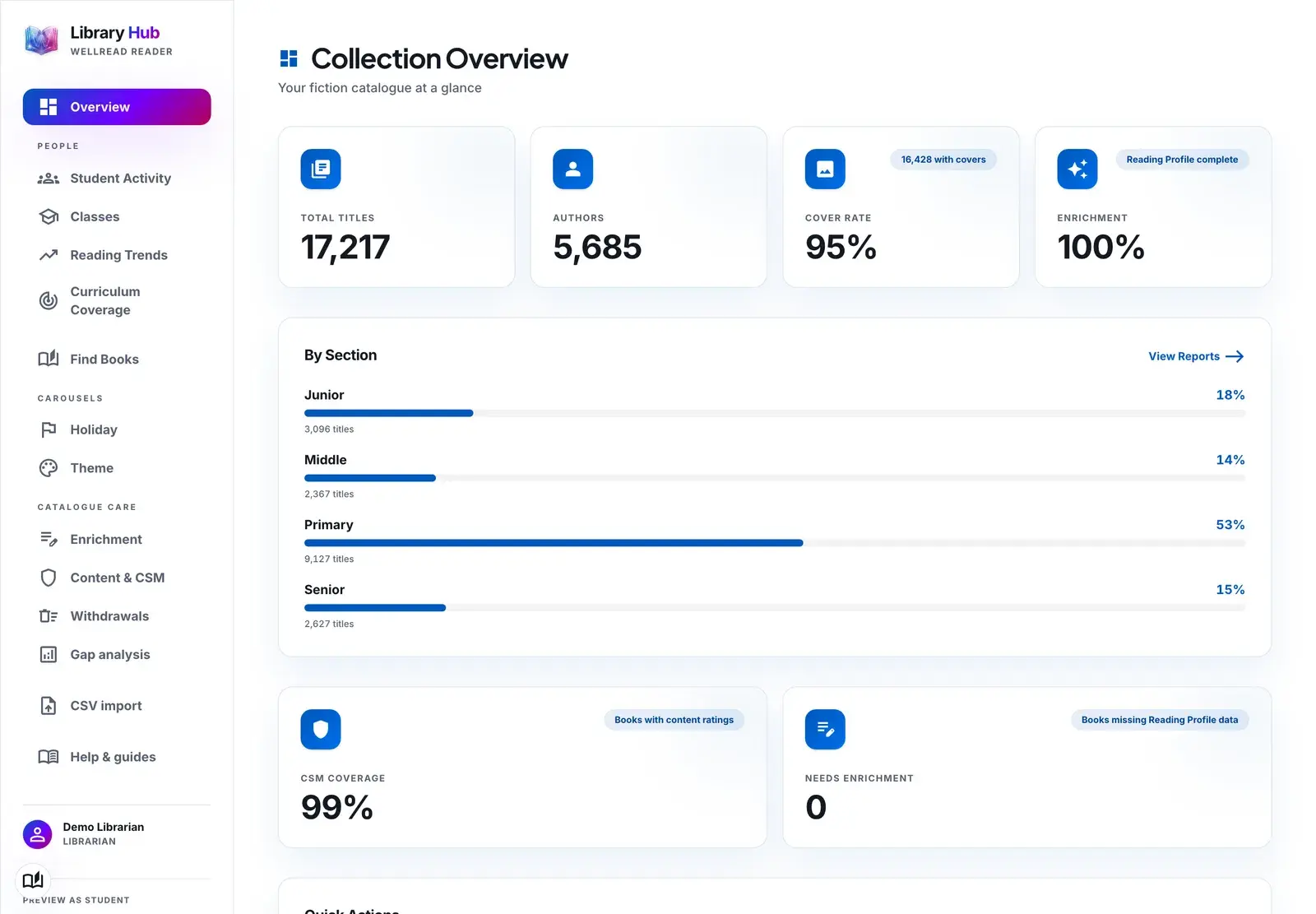
Enrich every book with reading-profile data. Set content suitability standards. Curate holiday and theme carousels. Live loan data and reading profiles show you where the gaps are. Real signal, not guesswork.
- checkEnrichment review
- checkCSM ratings
- checkTheme carousels
- checkGaps and trends
- checkStudent activity
- checkClass groups
- checkLevel finder
- checkCSV imports
For Schools and Teachers
Help every student feel confident, then quietly push them further.
WellRead gives teachers and librarians the picture they've never had: who is reading what, at what level, and whether the books they're choosing are stretching them or sitting comfortably below their reach.
Set up classes in minutes.
Build class groups from a CSV roster or pick students by name. Add as many as you like. Each class is private to the teacher who owns it.
See where every reader is.
View reading levels across a class at a glance. See who is on track, who is building confidence, and who is ready to be stretched.
Watch their shelves grow.
Every book a student saves to their bookshelf, finishes, or rates is visible. Patterns surface fast: what they love, what they finish, what they put down.
The Teacher Dashboard
Use the shelf to push the next read.
Every book on a student's shelf carries a reading profile: pace, tone, themes, age range, lexile band. The Teacher Dashboard reads those profiles together, so you can surface titles that nudge comprehension and reading level forward without leaving the genres they already love.
Book a demoarrow_forward- 1
Look at the shelf.
Read what they've picked. The dashboard summarises tone, pace, and reading level across the whole shelf.
- 2
Spot the pattern.
If everything sits at one level, the system flags it. Comfort reading has its place; so does growth.
- 3
Recommend the stretch.
Get titles that match what they love but reach a touch higher. Same themes, slightly stronger comprehension demand.
What makes WellRead different
Beyond genre and Dewey.
Most library systems sort books by one or two dimensions: genre and Dewey. Kids don't choose books that way. They choose by mood, by pace, by the kind of story it is, by how it leaves them feeling. WellRead takes everything libraries already have and adds the cues kids actually use, so discovery works for the reader, not the filing system.
What you usually get
Useful for finding a known book. Limited for finding a next book.
What WellRead adds
Eight extra dimensions, on every title. The cues kids actually choose by.
Every book carries the cues kids actually use.
A few examples
- speedPaceFastMediumSlow burn
- moodToneFunnyTenseEmotionalSpookyMixed
- favoriteEmotional payoffGuttedUpliftedThrilledAmusedReflective
- personProtagonistSoloEnsembleAnimalTeen-ledAdult-led
- auto_storiesSeriesStandaloneSeries startMid-series
- interestsThemesFriendshipSurvivalIdentityFamilyComing of ageMysteryAdventure
- shieldReading guidanceAge rangeLexile bandCSM ratingContent flags
- exploreNon-fiction interestsSpaceAnimalsHistorySportCodingHow things workCooking
Across every title in the catalogue. Enriched, indexed, and ready for the right reader at the right moment.
Why WellRead
Built around how libraries, teachers, and kids actually work.
Built with the people who use it.
Real teachers, real librarians, real schools. We listen, we adjust, we ship. The product is shaped by the people on the floor.
Wellbeing-led.
Confidence comes first. Pressure-free discovery. Age-appropriate by design. No public scoreboards, no shaming.
Tier-aware by design.
One platform, two experiences. Primary (P–6) and Secondary (7–12) each see UI and content built for them.
Data follows the reading.
Kids browse and choose freely. Patterns surface for teachers and librarians, not as homework for the kids.
For Education Groups
Built for multi-school trusts.
One WellRead deployment serves every school in your group. Each library keeps full control of its own catalogue, branding, and curation. Consistent content standards across campuses. Per-school enrichment, per-group insight.
Book a demoarrow_forward- hub
Shared platform, per-school curation
Each librarian controls their own carousels, themes, and enrichment. One platform, local autonomy.
- verified
Consistent CSM standards
Content Suitability Measure ratings flow across campuses, so age-appropriateness is coherent group-wide.
- query_stats
Cross-campus reading trends
Spot what's working where. Benchmark engagement. Plan collection development with group-level signal.
- group_add
Add staff once, across every campus
Bring teachers and librarians on from the Hub. Promote to admin with one click. Role-based access, per school.
For principals & business managers
Everything you need
to say yes.
Your teachers will tell you the students love it. This section covers the other half of the decision: is it safe, is it defensible, and is it worth the line item. Here is that case, plainly.
Student data stays in Australia
Records are hosted in AWS Sydney. No advertising, no third-party analytics, and no tracking of any kind in the app children use.
Nothing for a child to post
No messaging, comments, reviews, or profiles. There is no channel for a student to be contacted through WellRead. That is by design, not by moderation.
Age-appropriate, enforced server-side
Content tiers come from the student's year level on the server. A Year 3 student cannot reach the senior collection by changing a link.
Procurement pack, ready
Privacy Principle mapping, child-safety assessment against the National Principles, and an ACSC Essential Eight posture statement, with our known gaps stated plainly. Start at wellreadreader.com/trust.
The practical answers
- What does it cost?
- As low as $4 per student. No modules, no per-feature upsell, no cost to add teachers. Contact us for a quote built around your school or group.
- What do we have to do?
- Send us three CSVs (staff, students, classes) and your catalogue export. We handle the rest of setup.
- How long until it's live?
- A school can be running inside a fortnight. There is no infrastructure to install and nothing for your IT team to host.
- What happens if we leave?
- You export everything you hold, any time, in one file. We anonymise what remains on request.
We publish our gaps too. Single sign-on and multi-factor authentication are on the roadmap, not shipped. Ask us about them in the demo and we’ll show you the plan rather than talk around it.
Book a demo
We believe students deserve more than the first book on the shelf.
See your library the way your students will.
A live walkthrough of the student app and the Library Hub, shaped around your school. Bring your questions, bring a sceptic. If WellRead isn't the right fit, we'll be the first to say so.
- auto_stories
The student app, live
Real catalogue, real covers. See how Primary and Secondary readers each get their own discovery experience.
- dashboard
The Library Hub
Enrichment, curation, gaps and trends, the Teacher Dashboard. Every tool a librarian or teacher uses.
- schedule
Rollout, plainly
What set-up looks like for your school or group. Timelines, integrations, and what we ask of your team.